
BabaFox / Ballpark
Ballpark
Number game · New questions every dayFive questions a day, each with a number for an answer. You won't always know it, and that's the point. Get as close as you can and watch the ball fly.
Play today's Ballpark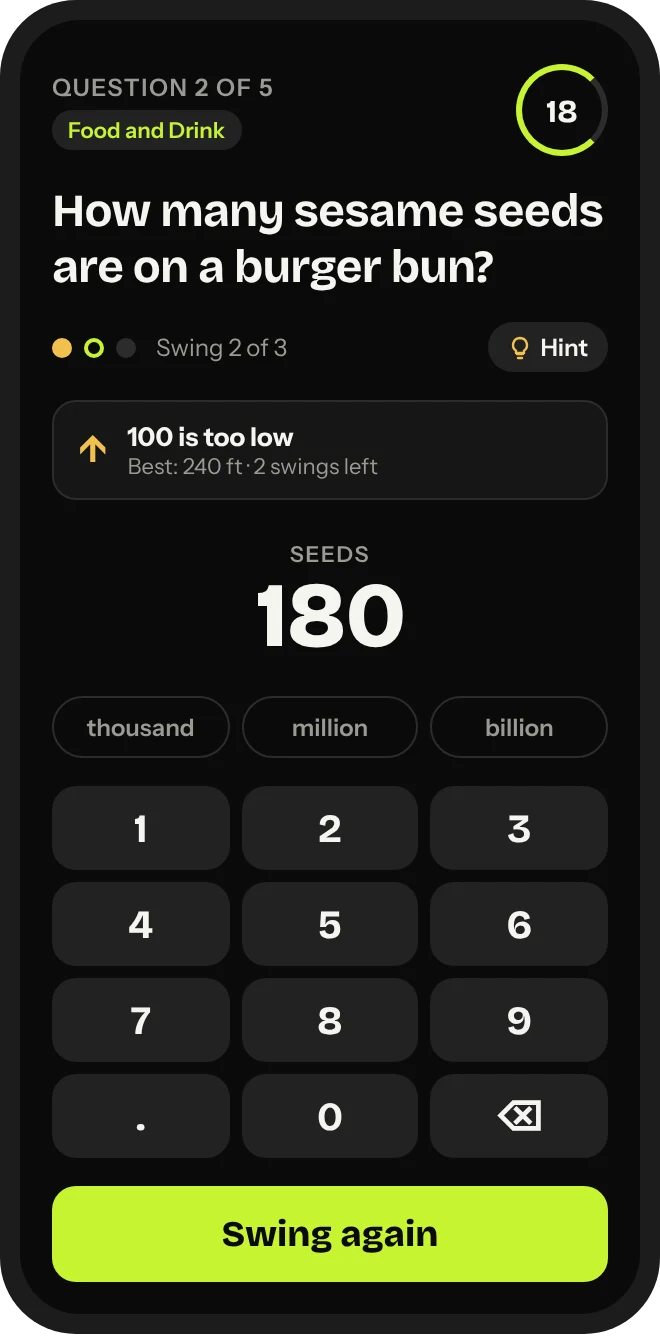
How to play
- Five questions a day. Everyday trivia where the answer is a number, like a height, a distance or a count. No sports knowledge needed.
- Every guess is a hit. The closer you are, the further the ball goes. Get within about 10% to clear the 400 ft wall.
- Three swings per question. After each swing you'll see if you were too high or too low. Your best swing counts, and you can tap Keep best to move on early.
- Hints and Easy mode. Stuck? A hint shows the range the answer is in. Or switch to Easy and just pick from four ranges.
- Beat the clock. You get 30 seconds per swing. Practice mode has no timer.
Scoring
Every question is worth up to 450 ft, so the most you can hit in a day is 2,250 ft. Distance is worked out to the foot, so a closer guess always goes further.
| How close you are | How far it goes |
|---|---|
| Spot on | 450 ft |
| Within 10% | 390 to 450 ft |
| Within 20% | 300 ft or more |
| Within 30% | 225 ft or more |
| Within 40% | 160 ft or more |
| Within 50% | 100 ft or more |
| Further off | Under 100 ft |
Guessing double the answer counts the same as guessing half of it. Using a hint costs 15% of your distance on that question.
Tips
- Use your first swing to find the range. A bold first guess plus "too high" or "too low" tells you a lot.
- Check the unit. Metres, minutes and kilograms change everything. Use the thousand, million and billion buttons for big numbers.
- Think about something you do know. If you know a similar thing, start from there and adjust.
- Save the hint for when you're truly lost. 15% off is cheaper than a wild miss.
Questions
- When do new questions come out?
- Every day. Everyone gets the same five questions.
- Do I need an account?
- No. Just open the game and play.
- Where is my streak saved?
- On your device, in your browser. If you clear your browser data or switch phones, your streak starts over.
- What's a streak freeze?
- Play seven days in a row and you earn one. It covers a day you miss so your streak doesn't reset.
- I think an answer is wrong.
- Use the report option after the question in the game. Every report gets checked.
- Can I play it like an app?
- Yes. Open Ballpark on your phone and use Add to Home Screen. You can also turn on a daily reminder from the settings.